App icon: a keyhole in a red record button, beside a sound wave and lines of text

Private AI Voice Recorder

AI transcripts, fully offline

On-device AI transcription for the phone or tablet you already have. No need for the newest device: works fully offline on supported phones and tablets.

Coming soon to the App Store

Private by design

  • Works without internet, also in Airplane Mode.
  • No account, no sign-in. Private, on your own device.
  • No ads, no analytics, no tracking.
  • Your audio and text never leave the device unless you share them yourself.
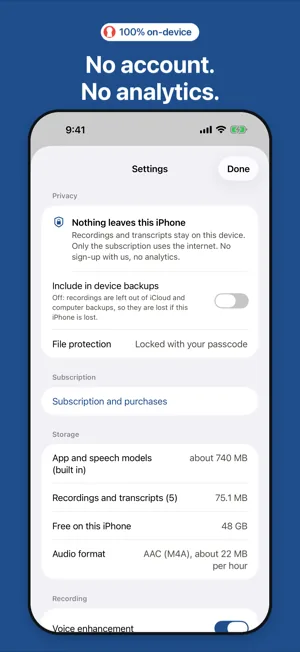
iPhone Settings, Privacy section: Nothing leaves this iPhone. No network, no account, no analytics.

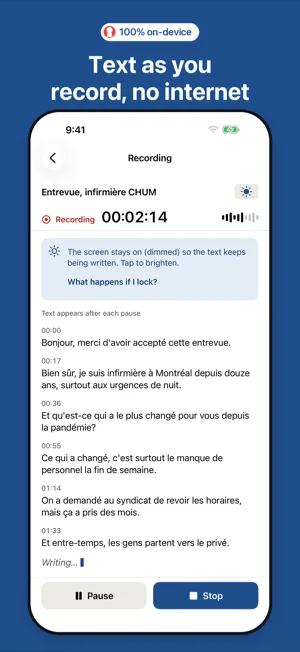
Text as you record

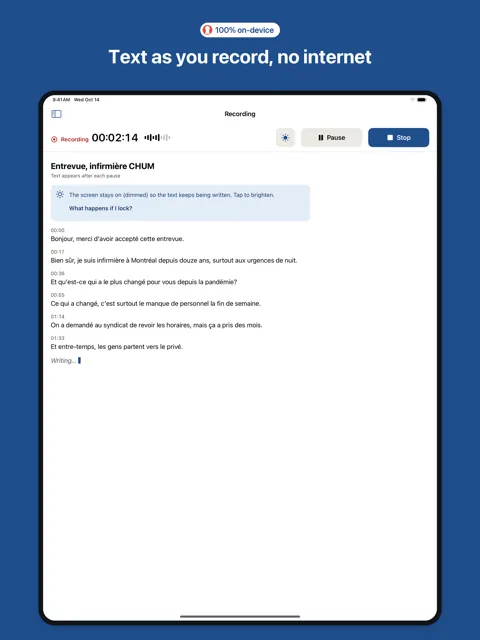
  • Recording starts the moment you tap Start. The text appears a few seconds after each pause, and the newest words stay in view.
  • No internet needed, at any point.
  • When you stop, the transcript is ready moments later, every word with its time.
iPhone recording a French interview, with no internet connection: the text appears after each pause.

24 spoken languages

Bulgarian, Croatian, Czech, Danish, Dutch, English, Estonian, Finnish, French, German, Hungarian, Italian, Latvian, Lithuanian, Maltese, Polish, Portuguese, Romanian, Russian, Slovak, Slovenian, Spanish, Swedish and Ukrainian.

The app detects which one is spoken. Other languages are not supported. For Danish, Latvian, Lithuanian, Maltese and Slovenian, expect to check the text more closely.
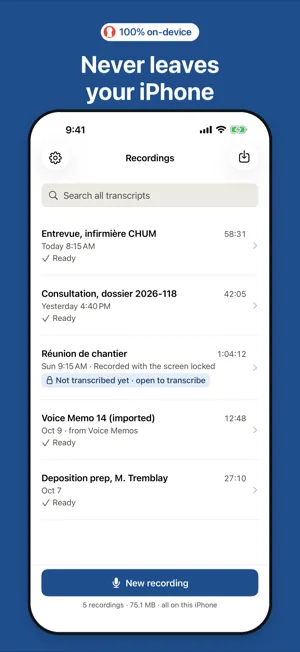
iPhone list of recordings in French and English, all stored on the iPhone.

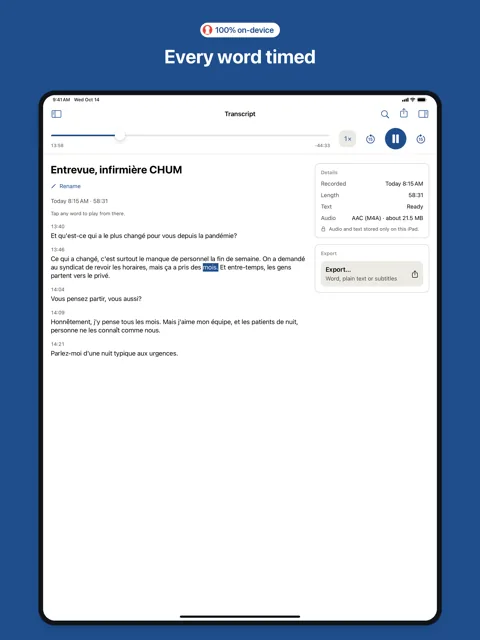
Tap a word to play

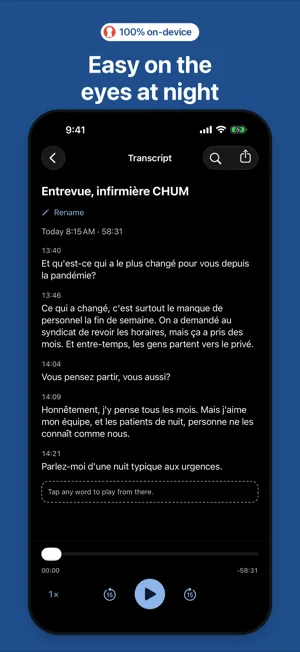
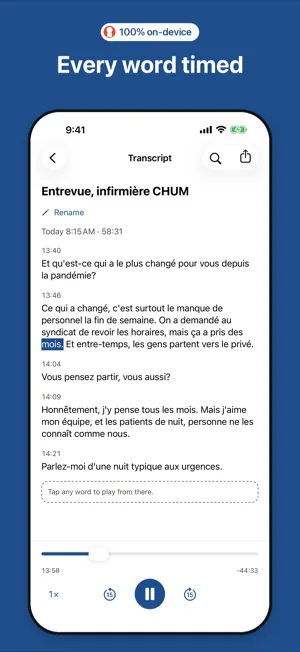
  • Tap any word to hear the audio from that moment; the word being played is highlighted.
  • Play at 1×, 1.5× or 2×, and skip back or forward 15 seconds.
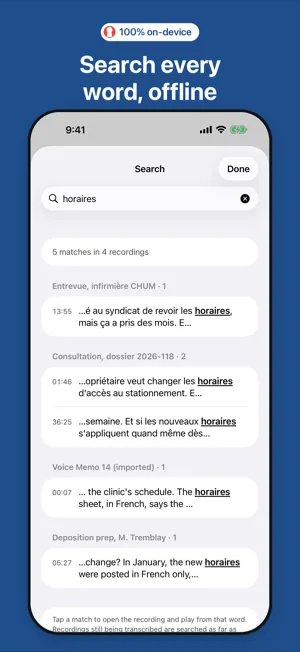
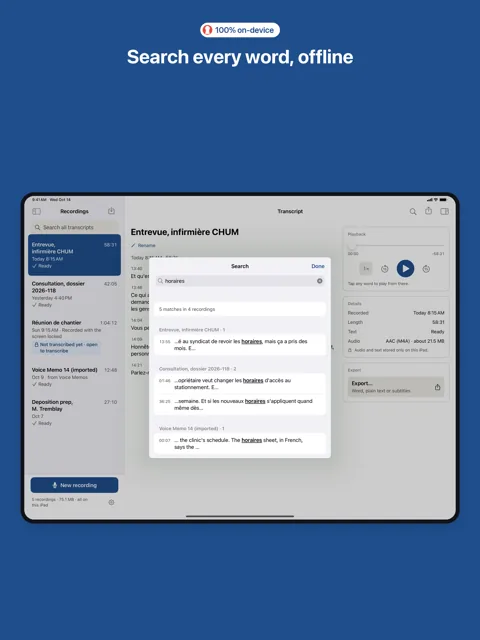
  • Search every word of every transcript, offline.
iPhone transcript playing back, the current word highlighted, with playback controls below.

Export to DOCX, TXT, SRT or VTT

  • Word document (.docx, also opens in Pages), plain text, and SRT or WebVTT subtitles.
  • Choose whether to include timestamps.
  • Files go only where you send them, through the iOS share sheet.
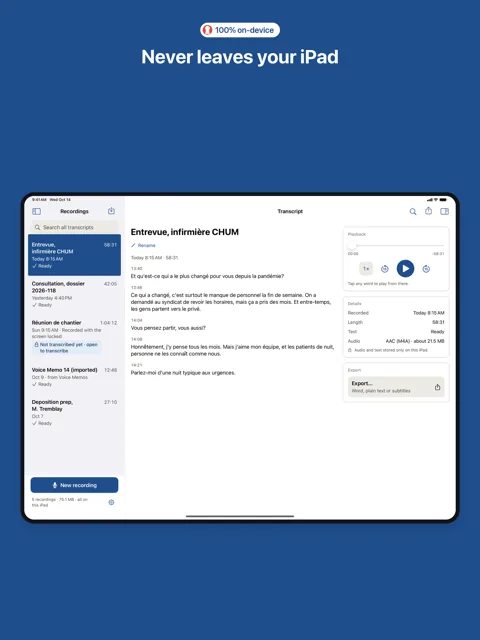
iPad transcript with a details panel and an Export button for Word, plain text or subtitles.

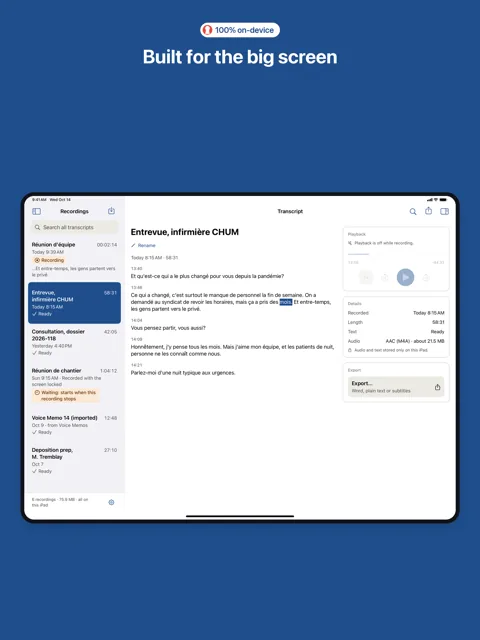
Made for iPhone and iPad

  • Its own iPad layout: your recordings in a sidebar, the transcript beside a panel for playback, details and export.
  • Supports Dynamic Type and Dark Mode.
iPad in landscape: recordings in a sidebar, a transcript in the middle, and playback, details and export on the right.

AI on the device you already own

  • No need for the newest device. Works on older supported phones and tablets.
  • Everything the app needs is built in: nothing to download after installing.

Requirements

Requires iOS 15 or later: iPhone 6s, iPhone 6s Plus, iPhone SE (1st generation) and later; iPad Air 2, iPad mini 4, iPad (5th generation), iPad Pro (1st generation) and later. About 740 MB of free space for the app, plus about 22 MB per hour of recording.

Three-day Apple trial for eligible subscribers

Free download and bundled demos. Monthly/yearly subscriptions offer a three-day Apple-managed free trial to eligible subscribers, once per subscription group. Personal input needs an active trial or subscription; saved work remains accessible. Settings › Subscription and purchases shows localized prices and eligibility. Apple billing needs internet; speech processing stays on device.